Multi-Timeframe Zones
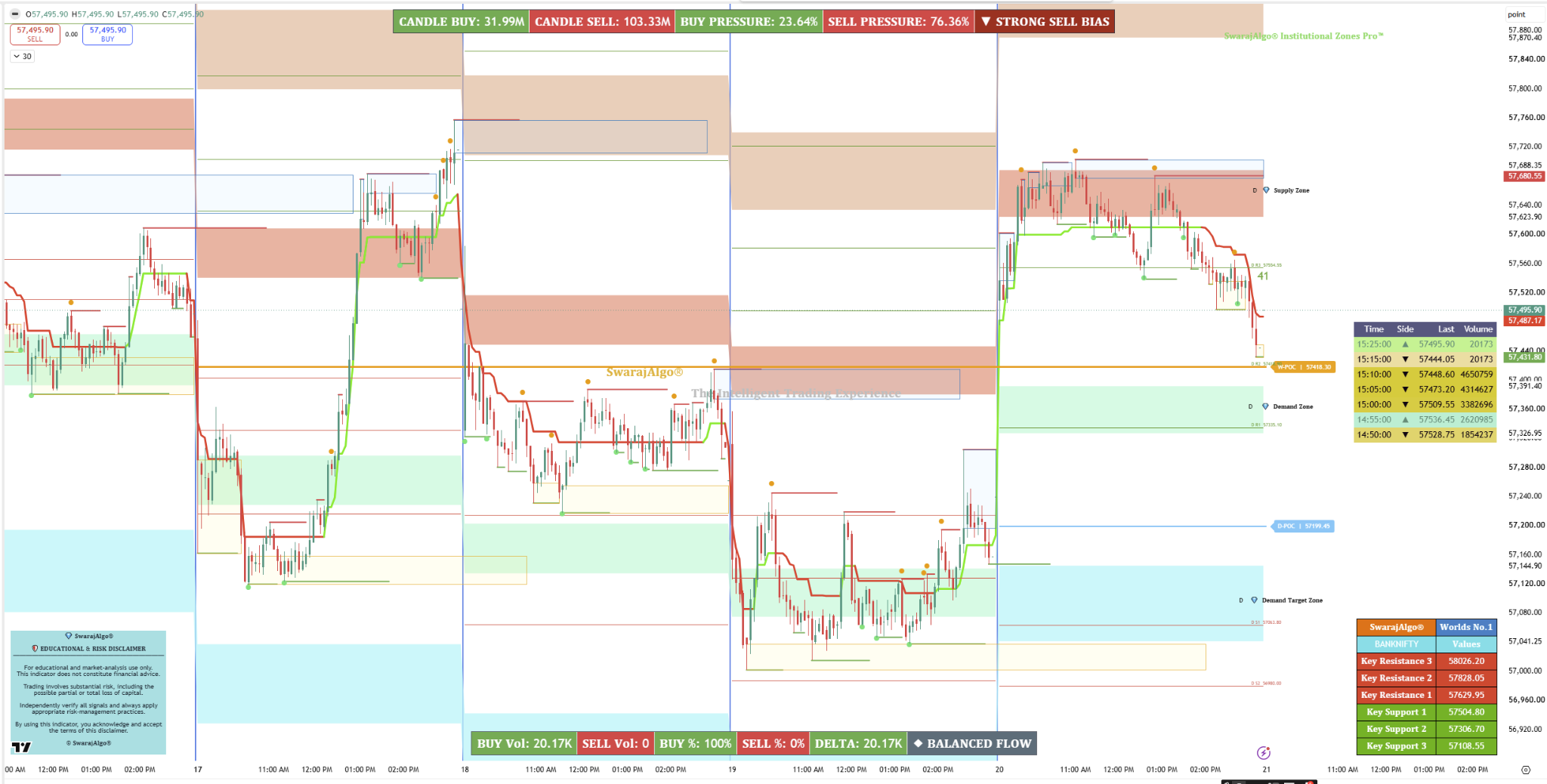
Study higher-timeframe Supply & Demand Zones and target areas across 4H, Daily, Weekly, Monthly and broader views.
 Start Free Trial
Bring market structure, institutional zones and volume context into one focused workspace. Explore the tools with a 7-day trial, subject to support-team review.
Since 2013Trading technology journey
Real product previewsSee actual charting screenshots
Multi-market workspaceTools for structured analysis
Explore before access7-day trial request available
Bring key chart references into a cleaner analytical workflow so you can study price location, structure, participation and higher-timeframe context together.
Explore the product suite →Study higher-timeframe Supply & Demand Zones and target areas across 4H, Daily, Weekly, Monthly and broader views.
Organize support, resistance, Fair Value Gaps, CPR and pivot references within a consistent chart-analysis framework.
Compare volume participation and Point of Control references alongside price structure for additional analytical context.
Use configurable alerts and focused dashboards to keep important chart information visible without overloading the workspace.
Structured TradingView analytical frameworks designed for clearer multi-timeframe chart research.
Professional multi-timeframe market-analysis workspace for structured chart research.
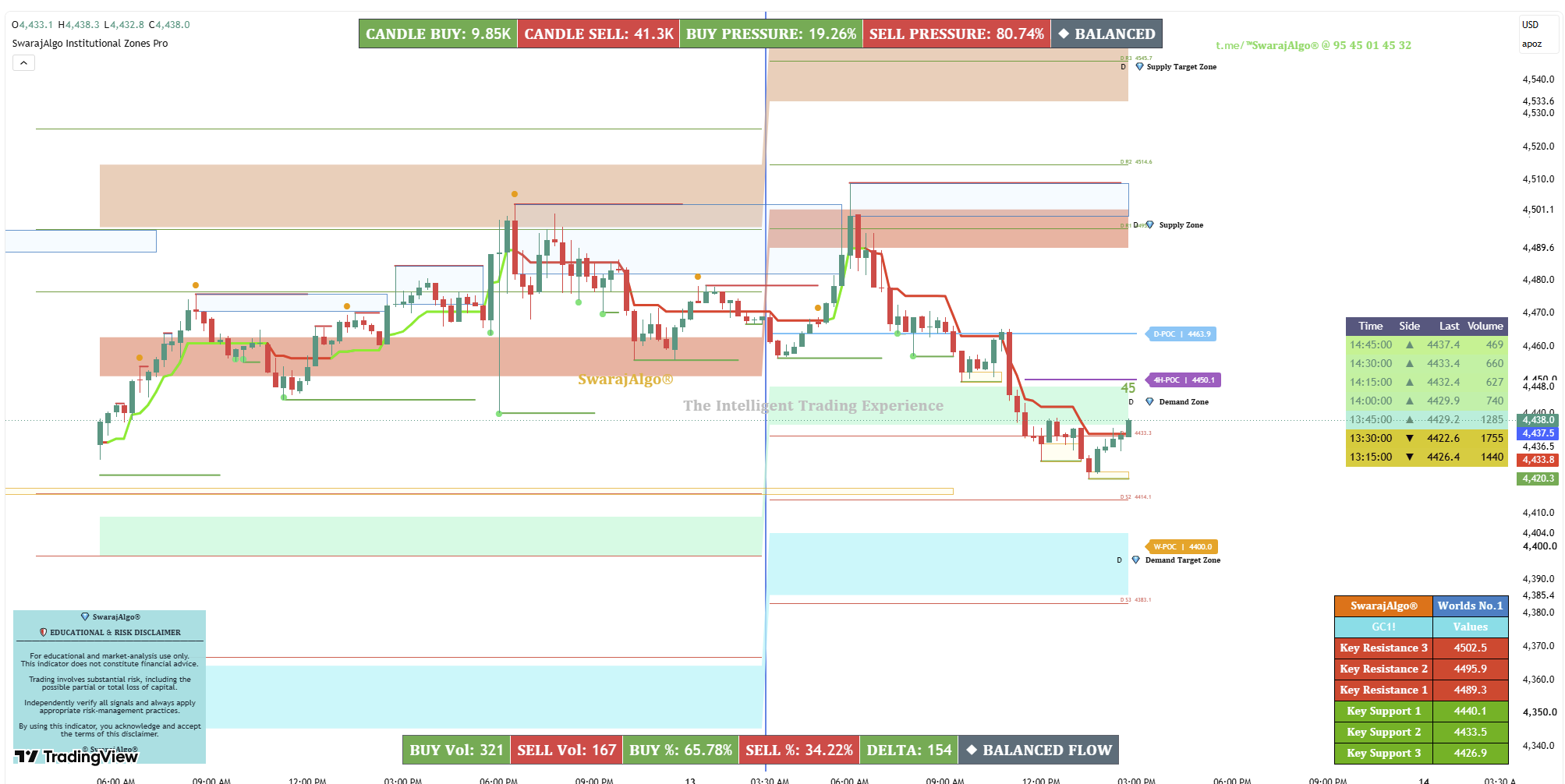
Analyze higher-timeframe Supply & Demand Zones, Target Areas, CPR, Fibonacci Pivots, POC, Trend Context, Moving Averages and Volume within one coordinated TradingView chart interface.
The framework organizes multiple timeframe references into one analytical view so users can compare price location, active zones, directional context and volume participation without relying on one isolated reading.
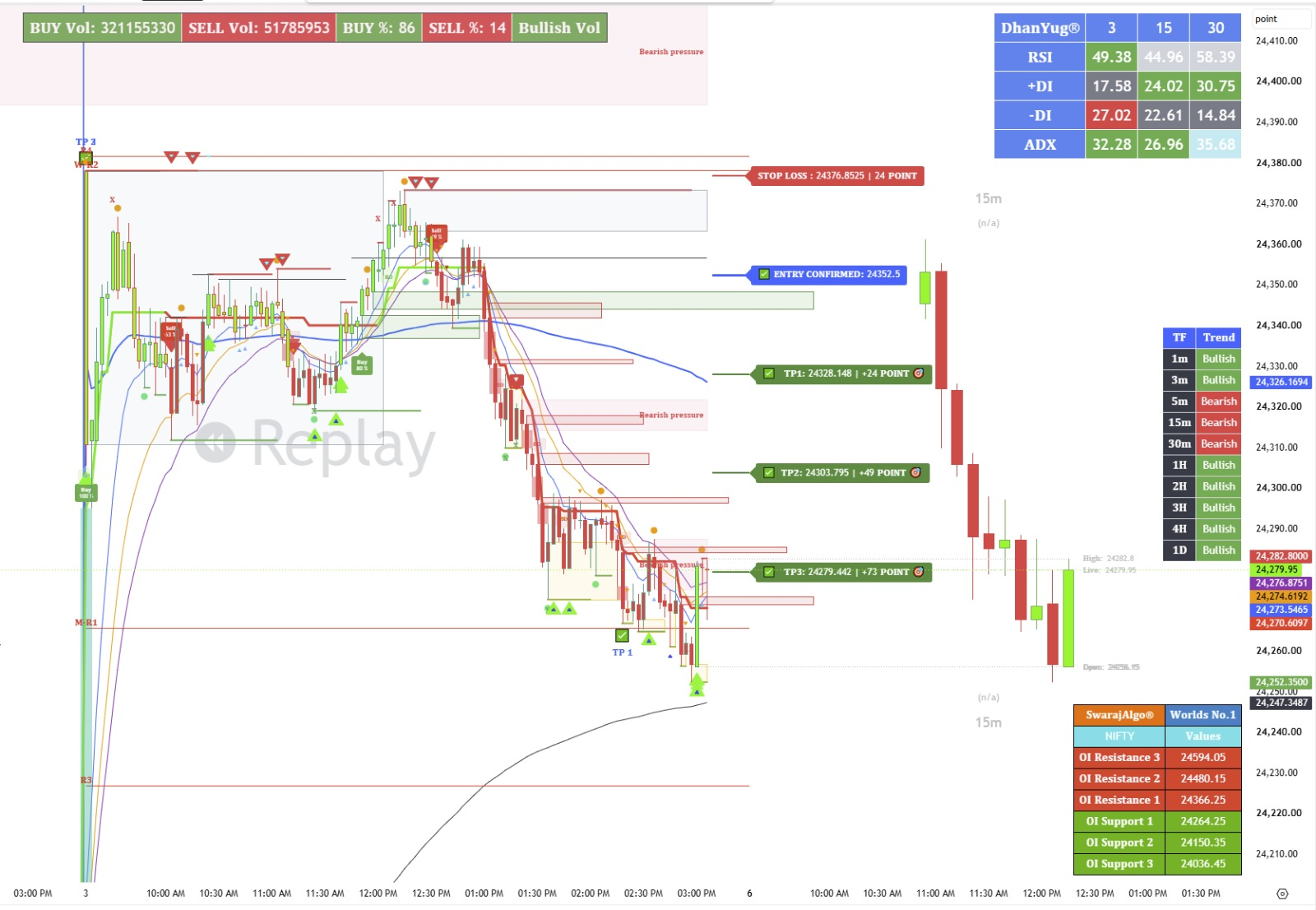
Professional multi-layer chart-analysis workspace for studying market structure and directional context across multiple markets.
Organize Market Structure, Price Zones, Multi-Timeframe Direction, Fair Value Gaps, CPR, Pivot Levels, POC, Moving Averages, Volume and Open Interest* within one coordinated analytical interface.
DhanYug Global helps users compare higher-timeframe direction, current price behaviour, active zones, reference levels and participation context instead of depending on a single indicator, label or signal.
Turn trading ideas into structured rules, evaluate historical behavior and refine your research workflow with a disciplined process.
Explore Access PlansSwarajAlgo is a market-analysis technology brand focused on advanced indicators, strategy research, chart intelligence and structured analytical workflows for Indian and global markets.
Our goal is to make complex market information easier to study through focused analytical tools, clean chart workflows and transparent product design.
Three clear steps, from choosing your plan to getting started with SwarajAlgo's market-analysis tools.
Compare monthly, quarterly, half-yearly and yearly access. Pick the duration that fits your workflow.
Explore access plansOpen the official SuperProfile checkout for your chosen plan. Review the final amount before paying.
View payment optionsAfter payment and plan verification, our team reviews your TradingView username and assists with access.
Contact access supportTradingView access is reviewed by the SwarajAlgo team; a payment event does not activate access automatically.
Request access to explore SwarajAlgo market-analysis tools and the TradingView chart workspace. No payment is collected by this form.
Submit your details. Our support team will review your request and contact you.
Explore the embedded TradingView chart workspace and supported market symbols.
Review chart-based analysis features, watchlists and supported analytical tools.
Add supported Indian, Forex, Crypto and global symbols to your personal watchlist.
Use the expanded chart workspace for a cleaner research and analysis view.
Our team reviews your request and helps with the available trial-access process.
From your first free-trial request to paid access, every step is designed to feel clear, professional and support-assisted.
Enter your name, email, mobile number and TradingView User ID. Your request is sent to SwarajAlgo support.
Request Free Trial →SwarajAlgo support verifies the request and separately manages any TradingView invite-only access.
Contact Support →If the tools suit your workflow, continue with the access period that fits you after the trial.
View Paid Plans →The website collects trial and support requests only. TradingView access is not automatically activated or revoked by this website.
Start with the 7-day trial request, then choose a paid access period only if you want to continue.
Request limited trial access before choosing a paid plan.
A simple way to start with SwarajAlgo.
For users who want a longer access window.
Six-month access for committed users.
Full-year access with the strongest value.
Tap any plan price to highlight it, or use “Continue to checkout” to open the official plan page.
Checkout opens the matching SuperProfile page in this same tab. Verify the current amount, included products, Telegram benefits and terms before paying. TradingView access is activated separately after admin payment review.
Sample review-style feedback showing the kind of experience SwarajAlgo is designed to support.
“The layout feels much more organized. Zones, structure and context are easier to review without overloading the chart.”
“What stands out is the way multiple market signals are brought together in one workflow. It helps me stay focused on the bigger picture.”
“The free-trial request gives enough time to understand the interface and decide whether the tools suit my own research process.”
Everything you need to know about the free trial, paid access and SwarajAlgo support—explained clearly.
The website submits a trial request to SwarajAlgo support. Trial approval and actual TradingView access are handled separately; the website does not automatically grant or revoke invite-only access.
Request a Free TrialSwarajAlgo is a market-analysis technology brand focused on advanced indicators, strategy research, chart intelligence and structured analytical tools.
Learn About SwarajAlgoNo. Markets involve risk, and no indicator, strategy or software can guarantee profits or future performance. Our tools are for research and analysis—not investment advice.
Choose the correct plan on the Payment & Access page, complete payment using the official SuperProfile link, then wait for payment verification and access instructions from support. TradingView access is reviewed separately.
Explore Access PlansYes. For questions about products, payment verification or access, submit an enquiry through our Support Form below.
Still have a question? Our team can help with your next step.
Official destinations for TradingView publications, access plans, partnership enquiries and personal support.
Explore SwarajAlgo indicator publications and TradingView product information.
Open TradingViewCompare access periods, review pricing and open the official payment page.
View Access PlansExplore the SwarajAlgo Partner Program and its latest application details.
Explore PartnersFor product, payment or TradingView access questions, contact the team directly.
Contact SupportFor payment, access or product questions, contact the SwarajAlgo support team.
Contact: +91 95450 14532
Use the enquiry form or phone for payment references, access questions and general support.
Share your contact details and a brief message. Our support team will review your enquiry.
 SWARAJALGO
Choose your access plan and continue to the payment page.
Payment & Access